Quick Answer
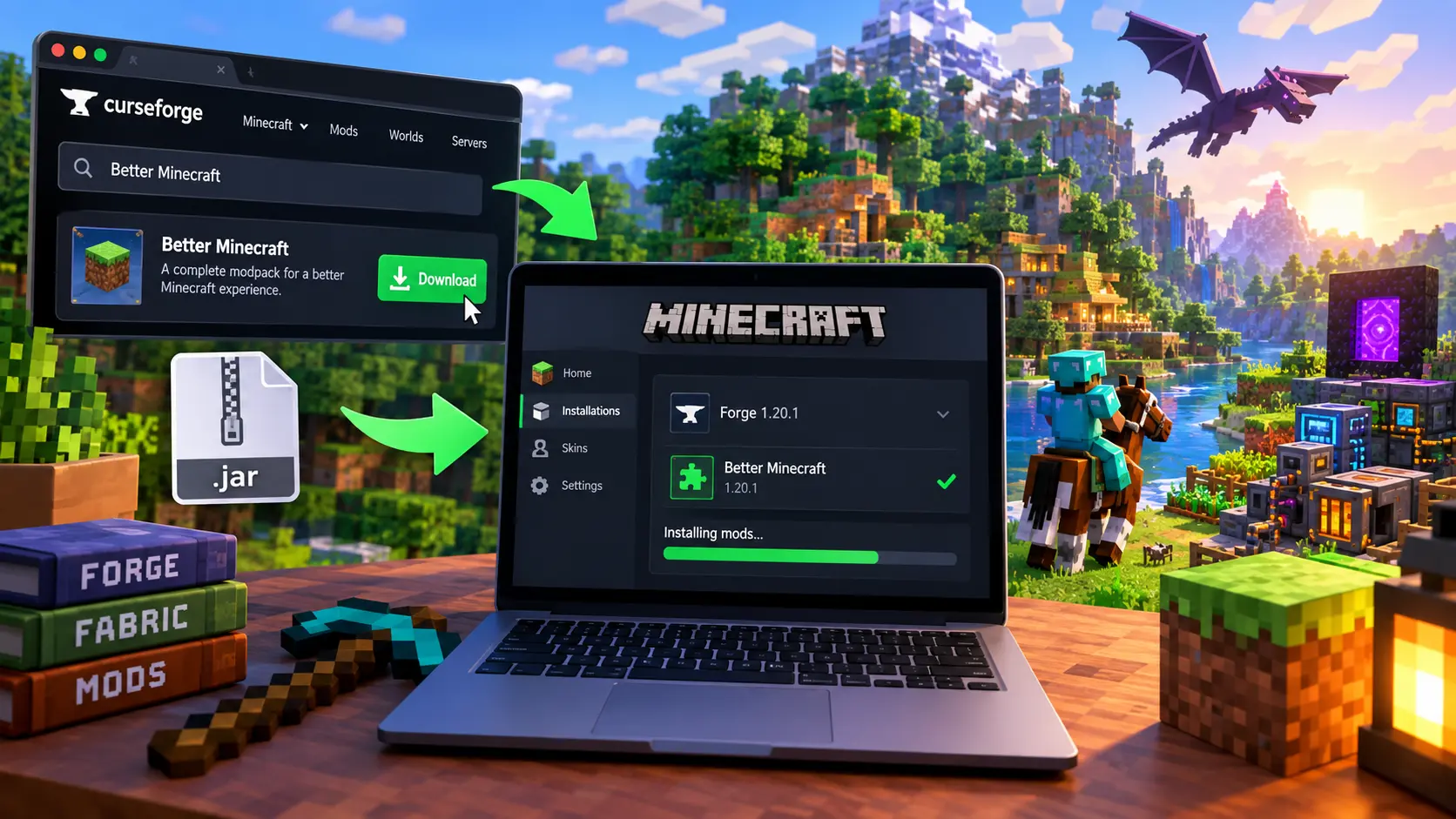
Only download Minecraft mods from CurseForge or Modrinth. Install a mod loader such as Forge or Fabric for your version of Minecraft, then drop the mod file into your .minecraft/mods folder. Avoid at all costs downloading mods from random forums, discord links, or “mod packs” from anywhere else. This is how malware gets on to your computer.If you are wondering how to download & install Minecraft mods safely, this step-by-step guide covers everything you need to know without risking malware
Why Mod Safety Actually Matters
Minecraft mods are not moderated by Mojang before being uploaded. This means that anyone can create a mod and upload it, which is both convenient and potentially dangerous at the same time. For example, in 2023, hackers gained unauthorized access to several accounts of developers who upload software to CurseForge and inserted malicious code, or “fractureiser”, into several popular mods,ing the browser passwords, Discord tokens, and cryptocurrency wallet information of thousands of people before being caught.
As such, it’s important to understand how to stay safe when downloading unofficial modifications and what potential pitfalls to look out for.
The best part is – you don’t need to be an expert to find a reliable source of official modifications and avoid scams.
Where to Download Minecraft Mods Safely
Stick to platforms that scan every upload and track who published it. Random Google searches for “free Minecraft mods” will send you to sketchy mirror sites — avoid those entirely.
| Platform | Best For | Safety Notes |
|---|---|---|
| CurseForge | Largest mod library, modpacks | Scans uploads; had a 2023 breach but responded fast and tightened checks |
| Modrinth | Cleaner interface, open-source code | Manual review plus automated scanning before mods go live |
| Minecraft Marketplace | Bedrock Edition, curated content | Every item is reviewed by Mojang before release |
If a “mod site” isn’t one of these three, treat it as a red flag. Legitimate creators publish to CurseForge and Modrinth because that’s where the Minecraft community actually looks for mods.
How to Install Minecraft Mods, Step by Step
Most Java Edition mods need a mod loader — think of it as a translator that lets Minecraft understand mod files. Forge and Fabric are the two main ones.
Step 1: Check Your Minecraft Version
Open Minecraft, look at the bottom-left corner of the launcher screen, and note the version number (like 1.21.4). Mods only work with the exact version they’re built for, so this step saves you a lot of frustration later.
Step 2: Install a Mod Loader
- Go to the official Forge site (files.minecraftforge.net) or Fabric site (fabricmc.net).
- Download the installer that matches your Minecraft version.
- Run it and select “Install client.” This creates a new profile in your Minecraft launcher.
Step 3: Find Your Mods Folder
- Press Windows key + R, type %appdata%, and hit enter.
- Open the .minecraft folder, then look for a folder called mods. If it’s not there yet, create one — launching the game once with Forge or Fabric usually generates it automatically.
Step 4: Download and Drop In the Mod File
- On CurseForge or Modrinth, pick a mod built for your exact Minecraft version and loader (Forge mods and Fabric mods aren’t interchangeable).
- Download the .jar file.
- Drag it straight into your mods folder. Don’t unzip it.
Step 5: Launch and Test
Open the Minecraft launcher, select your Forge or Fabric profile, and hit Play. If the game crashes, it’s almost always a version mismatch — double-check the mod page for the exact supported version.
How to Spot a Fake or Malicious Mod
- Download count looks off. A mod with 40,000 downloads but zero reviews or comments is worth a second look.
- File is an .exe instead of a .jar. Real Minecraft mods don’t need to run as a standalone program.
- The page pushes you off-site. Legit mod pages let you download directly. If a page redirects you through three ad pages or a shortened link, back out.
- Permissions don’t match the mod’s job. A texture-pack mod asking to access your webcam or files has no business doing that.
- Misspelled site names. “Curseforge-mods.net” or “modrinth-download.com” are not the real sites — always check the URL bar.
Safety Tips for Parents
If your kid plays Minecraft and wants mods, you should probably be there for the first install. Bedrock edition (which is on consoles, tablets, most phones) only has the Minecraft marketplace, which is mojang approved, for their edition, which is probably safer for younger kids. Java edition (pc only) has more variety, but you’ll still need to do the checks above. A password manager and antivirus that runs in the background is free, and will spot most slipups.
Quick Checklist Before You Install Any Mod
- Source is CurseForge, Modrinth, or the official Marketplace — not a random link.
- Mod version matches your Minecraft version exactly.
- File type is .jar (Java) or comes through the in-game Marketplace (Bedrock).
- Reviews and download counts look genuine.
- Your antivirus is active and up to date.
FAQ
Is it safe to download Minecraft mods? Yes, as long as you download from CurseForge, Modrinth, or the official Minecraft Marketplace. These platforms scan uploaded files and review new projects before they go live, which removes most of the risk.
Do I need Forge or Fabric to install mods? Most Java Edition mods need one of the two. Check the mod’s page — it will say which loader it needs. Bedrock Edition doesn’t use either; it relies on the Marketplace instead.
Can mods give my computer a virus? It’s rare but not impossible. The 2023 CurseForge malware incident happened because hacked developer accounts uploaded infected files, not because the platform itself was unsafe. Sticking to trusted sources and keeping antivirus software running cuts this risk down significantly.
Why won’t my Minecraft mod work after installing it? The most common reason is a version mismatch — the mod, your Minecraft version, and your mod loader (Forge or Fabric) all need to match exactly.
Are CurseForge and Modrinth free to use? Yes, both are free to browse and download from. The CurseForge app shows ads; Modrinth’s site and app are ad-light by comparison.
Can I use mods on console (Xbox, PlayStation, Switch)? No — console and mobile players use Bedrock Edition, which only supports Marketplace content, not Forge or Fabric mods.
One Last Thing
Modding Minecraft opens up an incredible variety of new possibilities, including additional biomes and game modes. When downloading mods, it is necessary to treat them with due care, checking their sources and the version of the game they are intended for, but this is a relatively simple procedure that all mod users should be able to manage.
Suggested Resources to Link
- Official Forge installer: https://files.minecraftforge.net
- Official Fabric installer: https://fabricmc.net
- CurseForge: https://www.curseforge.com/minecraft
- Modrinth: https://modrinth.com
- Minecraft Marketplace info: https://www.minecraft.net/marketplace